
Install ConvertFlux on Shopify with a clear step-by-step guide.
Follow the exact path in real Shopify admin screenshots from Themes totheme.liquidand add your ConvertFlux snippet with confidence.
We provide your store-specific ConvertFlux snippet during onboarding.
Real Shopify Screenshots
Step-by-step Shopify admin walkthrough with your exact flow
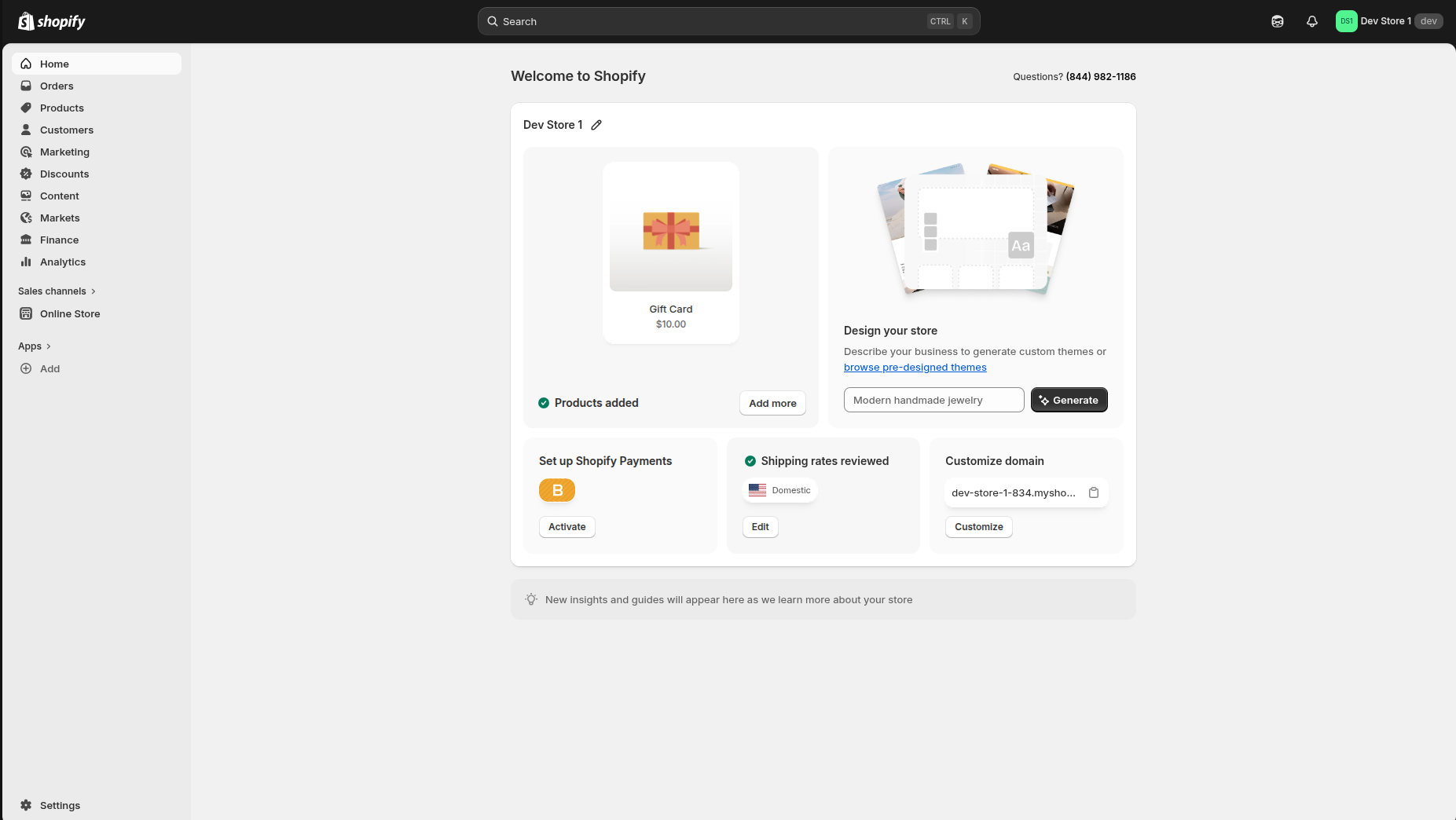
This sequence shows exactly where to go in Shopify admin and where to paste the ConvertFlux code.
Step 1 of 5
Auto-playing
Open Shopify admin
Start from your logged-in Shopify admin home.
ConvertFlux Loader Snippet
Example onlyThis script block is an example format for reference. Do not publish this exact URL on your live store. We share your final store-specific snippet during onboarding.
This loader activates ConvertFlux on your storefront. Paste it intheme.liquidright before the closing</body>tag, then save.
<!-- ConvertFlux Loader -->
<script src="https://api.convertflux.io/widget/your-shop-domain.myshopify.com.js" async></script>
<!-- End ConvertFlux -->
The your-shop-domain.myshopify.com value is a placeholder for illustration.
Shopify integration FAQs
Can we see a demo before we install?
Yes. Open our demo storefront to see real ConvertFlux experiences before adding any code to your store.
Is this one snippet for all campaigns?
Yes. One loader script enables all placements, so you do not have to repeatedly edit your theme for every campaign.
What if we do not want to edit code ourselves?
No problem. We can guide your developer live during setup and validate the install together on the call.
Will this slow down our Shopify store?
The snippet is async and lightweight. We also review your setup to keep storefront performance stable.
Need help with the Shopify install?
Send us your store URL and we will guide your developer through setup and validation live.
Contact Support